The public are getting wise, proceed with caution…

Friday Thought.

Commercial and public organisations are constantly on the lookout for new ways to engage with customers and the general public. This is understandable and very easy to do now that the internet is highly interactive. Done properly, it can work very well.

However, not all such campaigns are successful in attracting positive PR. One popular idea is to engage with your public by asking them to give you free stuff. Most often, for obvious reasons, photos.

A classic example is when some bright PR spark decides that it would be “cool” if customers sent in their best photos for the company to use for free in its web site, advertising and publications. The conditions for giving the business this free stuff will normally be couched in very legalistic terms, with conditions so harsh, unforgiving and one-sided that only the clinically insane would take part in such a scheme. The bigger problem perhaps is that many customers will ignore the T&Cs because they don’t expect their big, cuddly corporate to do anything underhand or greedy, so they tick the “I have read and understood” bit, having neither read nor understood what they were committing to.

If your organisation is looking into trying this kind of customer interaction, let me sound a word of caution. Amateur photographers are getting wise to this kind of exercise. They’re beginning to understand that if somebody wants their photos, their photos must have a monetary value. Just as if you asked them for the keys to their car, or for a few hours free graft, they understand that while any idiot can give something away for free, it takes a special kind of idiot to do it willingly. And amateur photographers aren’t idiots.

Several organisations and businesses have already bought themselves some negative publicity trying this kind of exercise. The UK’s Environment Agency recently put out a call for graduates, keen on photography, to become free labour suppliers of photos. The BJP wrote an article about it, the EA had to take their Facebook page down at one point, and then finished with a spectacular U-Turn.

Other organisations currently fighting a backlash from photographers include the publisher Archant with their Great British Life photo competition, and Greater London Authority wanting free photos for their new web site. I know there are many more examples, but you get the picture (for free!)

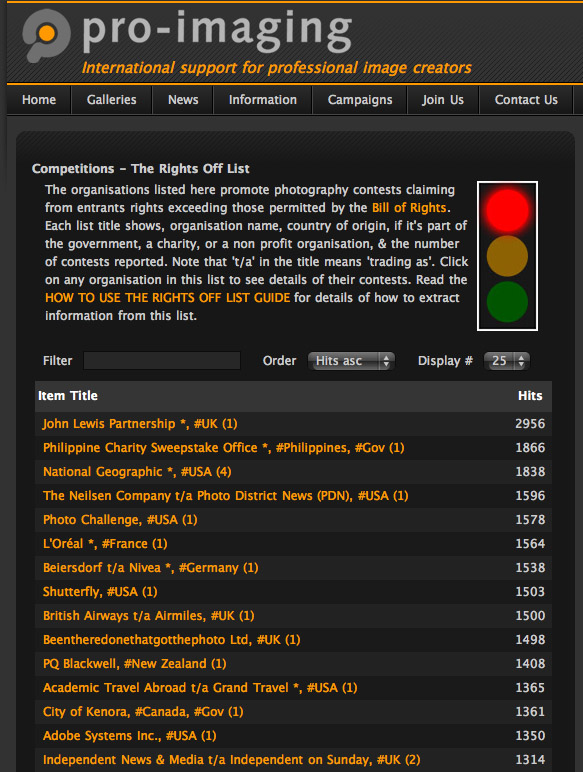
pro-imaging website screen shot

Pro-Imaging advertise competitions as Rights On or Rights Off. Click to see the full list.

Photo competitions which hide rights grabs are another example where photographers, both amateur and professional, have forced a change of terms and conditions, but only after much negative publicity.

The examples of companies which have attempted this particular wheeze and then had to change their T&Cs to be more like a photo competition than a phishing trip is too long to list here, but you can check out the Pro-Imaging web site to see what makes a competition fair, and see which organisers have adhered to the Bill of Rights which has been drawn up through industry-wide consultation.

These schemes and scams keep popping up, and most get battered down by hobbyists and professionals working together for the better ineterests of photography. Why companies and organisations continue to make the same mistakes time after time is a mystery, but I do see the tide turning against this trend for what has been described by others as “loser-generated content”.

So use the internet to interact with your clients and your audience, but don’t ask too much because your clients can quickly swamp the message you intended to broadcast with the ugly sound of protest at unfair practices.

When is photo manipulation too much?

I’ll start by apologizing that this subject is so dry, it makes a very dry thing look wetter than a very wet thing. I never was much good at similes. Which brings me not very smoothly to the follow up article on post production (see here) with a few words on photo manipulation.

The question is, when it comes to images shot for your business, when does post production become photo manipulation? At what point does it become unacceptable?

To make better sense of this, I had better define the terms “photo manipulation” and “post production”.

Post production is generally accepted as the process of making an image taken straight from the camera suitable for reproduction in whatever medium it is destined for, as outlined in that previous article.

Carried out within acceptable boundaries, post production won’t change the meaning or intention of the original photo. It’s much the same as the good old days when you had a photo negative printed at the local lab. They would make sure your negative was clean, and they would also make adjustments for exposure, colour cast etc.

It goes without saying, though I’ll say it anyway, that image manipulation in any news, sport or feature photo is unacceptable. For businesses issuing press releases, the simple rule is don’t manipulate. You can damage your reputation and attract negative press and blog comment (remember this?), which will never go away and will take a long time to repair.

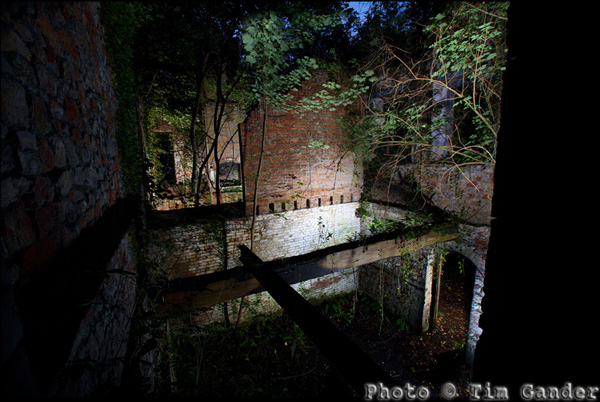
photo of Mells Iron Works at night

Made up of 8 image layers, this was a personal project not destined for commercial or press use.

Photo manipulation would cover things like adding to, or removing elements from an image, distorting people to make them look slimmer, taking an ugly sign or street furniture out of a background, adding a logo which wasn’t in the original.

A clear example of over-manipulation would be if I changed a self portrait to make it look as though I had humanoid ears. That would just be ridiculous, and those who know me would never stop laughing.

As wonderful as digital is, and for all Photoshop can do, it’s still extremely important to get the shot right in the camera. Not take any old snap, and hope for a technical fix later.

I do think the rules can shift a little when it comes to a corporate photo for a web site, but I still advise caution. For example, I will happily remove pimples or other non-permanent blemishes, but permanent ones stay. The person in the photo needs to be recognisable.

Dropping people or objects into a commercial image, or removing them from a scene, could cause problems of misrepresentation. If done sensitively and with appropriate captioning, it may not cause a major problem, though it’s important to take context into account, and that’s too much to cover here.

Maybe the best way to avoid disasters is to ask yourself the question: Is this a dishonest representation? What would my mother think? That last question alone should put you on the straight and narrow.

Article and photo © Tim Gander. All rights reserved. The articles in this blog may only be reproduced for non-commercial purposes.

The growing clamour from web designers!

My Friday Thought – A new feature which will rapidly become a rod for my own back, but let’s see how it goes.

There’s been an interesting, and very noticeable shift in the nature of the conversations I’ve been having with designers recently, especially webby ones.

In the past, whenever I asked web designers about the photography needs of their clients the reply came back, as if transmitted by mental osmosis from one designer to the other, “Oh they don’t have a budget for photography so we use cheap stock photos.” Always different web designers, always the same line.

The fact is, no client has a budget for anything until somebody explains to them why they need a budget for it (ie improved sales!); in this case, original photography which sets them apart from their competitors and communicates more honestly with their clients. After all, my clients have a budget for photography so what do they know that so many web designers’ clients don’t?

Part of the problem has been a misunderstanding of how budgets work. In the case of photography, it isn’t part of the web budget because the images are used in more than just the web site; it comes out of the marketing budget, of which the web site is a part, but many web designers will look at the photography fearing it will reduce their budget to do the design work. It shouldn’t.

I know selling photography isn’t easy. While every business now understands they have to have a web presence of some sort, beyond that it’s not easy to explain that apart from what the web site does in purely technical terms, it also needs good content to convince the viewer of the value of the product or service on offer. It’s the content, in harmony with the structure, which ultimately makes the sale.

And this is where web designers are starting to wake up and smell the cappuccino. There’s a growing realisation that good photography, as well as good copy and design, helps the site to pull together and deliver the message the client wants to transmit. Photos need to be more than just eye-candy on the page. They carry valuable information and can also be used to direct the viewer’s eye to key texts and links.

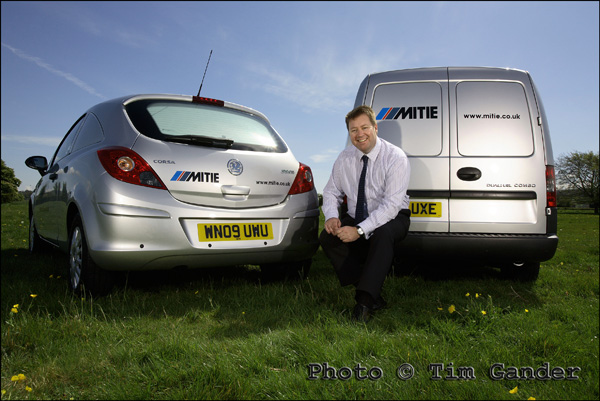
mitie services vehicles in a field

No Californian models posing here, just a real person representing a real business.

What kind of business in the UK needs a photo of a chisel-jawed American male in a suit clutching a laptop in a steel and glass office with angelic lighting and a patronizing smile? How many more generic stock images of non-people in non-places does the internet really need? And what do these images say about a business any more? Stock images used to be far more expensive, so a business using them tended to look more polished. They’re too cheap and ubiquitous now, and the shine has come off the novelty.

And the cry I’m now hearing from every designer I speak to is, “I am so sick and tired of having to use stock imagery.” Designers want to be proud of the results of the hours and days they spend designing a top-notch site, but having expended blood, sweat and weeks on the site, they are then forced to ruin the entire project either with photos the MD’s wife took, or with stock pictures of someone they’ve never met, taken in a  place they’ve never been to, that has little or nothing to do with the business they’re meant to be promoting.

I’m encouraged by this change of voice, and I’m helping web designers by explaining to their clients how real, unique photography can work for them, doesn’t need to cost the earth, and yet will contribute to the growth of their business.

So designers everywhere! Talk to me, I’ll talk to your clients, and before you know it there will be a budget for photography, and the web site you designed will look as good as you know it should.

I thangyou.

Post Production? ’tis the Devil’s work!

Post production is the process that dare not speak its name. It is surely some manner of witchcraft; the sort of thing only the Devil’s nerdy brother would be into. So what is it? And why should you care?

The concept is simple, the practice less so. Post production is what happens to the photos after the shoot, and before they’re delivered. And though you don’t necessarily need to know what post production is, it is helpful if you have an idea of the basics.

The image file that comes straight from a digital camera isn’t matched to any particular use, and is therefore not matched to any use. To explain that a little better; the camera file will normally be the right resolution for web (72dpi) but will be too large a file to upload. At the same time, it will be physically large enough to produce a print, but needs to be converted to around 300dpi for good quality print output. So the file needs to be resized to suit the end use.

Other things need to happen too. Often the photo will need some tweaking to get the colour, brightness and contrast perfect for the intended use. Also, while the image will be perfectly in focus (because I don’t take out-of-focus photos – no sniggering at the back!) it will need a little digital sharpening to make it appear really crisp in print or on the web. That’s just a characteristic of digital.

Digital SLR cameras tend to have a problem with dust getting in through the lens mount (normally when changing lenses) and adhering to the imaging chip. These then show up as grey blobs and hairs on the image which need to be cloned out in Photoshop or they’ll show up in the published image.

jpeg showing dust on highpass dslr filter

Play Spot the Dust! I've highlighted some. Click the pic to find more.

Adding captions, applying the relevant colour profile and conversion from RAW to jpeg format are also part of post production.

While some of these processes can be done in batches, some have to be carried out on each individual file. This can add considerable time to the overall process of shooting and supplying images to clients, and that time has to be factored into the assignment fee or charged separately, at which point my client might be wondering what they’re paying for. If I’ve factored it in, where another photographer hasn’t, it can make me look expensive, but then I’m not a “dump and runner”.

A dump-and-run photographer is one who simply writes the image files straight from camera to disk with little or no post production, dumps the files on the client, takes the money and runs. They may look like a cheaper option, but the truth is you’re not getting a professional service or top quality images, and this will be reflected in the final project.

Post production can be tricky and incredibly dull work, but I pride myself in the quality of work I deliver. And while you don’t need to know all the technical details, it’s at least worth understanding that it is a necessary process. And the Devil’s nerdy brother doesn’t charge as much as he used to…

Captain Caption’s Last Stand

Or, Captain Caption and the WORDS OF DOOOOOOM!

Okay, so we’ve already had two thrilling episodes of Captain Caption, and in this one we see our Lycra(TM) -wearing hero save the day yet again as we delve into the murky waters of the legalities of caption writing.

Actually, if you’re sensible, it’s not all that murky, but it’s wise to be aware of some basics.

I’ll deal with this in two sections, editorial and web. This applies to captions which appear under (or adjacent to) a photo, or the embedded caption in the IPTC table, which I covered previously.

If you’re sending out captions as part of a press release, either to print or web, you need to apply editorial standards. That is to say, the caption needs to be accurate and succinct. The first of those is vital. It is possible to libel someone by using a misleading or false caption on a photo. So stick to the facts of the story, and the realities of what is in the photo.

Be careful with your choice of words in captions. If a teetotaler is photographed holding a glass of water at a charity bash, don’t just caption that Mr X “enjoys a drink at the event” as the connotations could be misconstrued. There are too many examples to list, but common sense should guide you.

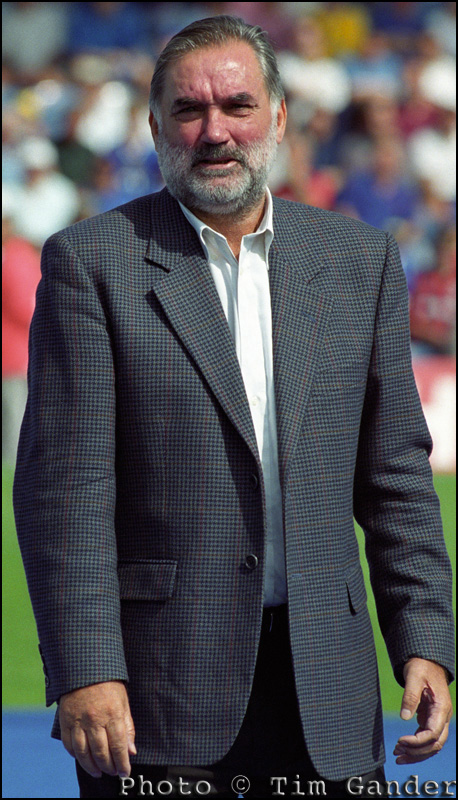
deceased footballer george best at portsmouth football ground

George Best - Safe to refer to his drinking because it's true. And in the UK, you can't libel the deceased.

The really simple answer is that if you’re going to send out a photo with a press release, get a press-trained photographer to shoot and caption the images. They’ll understand the style required, and the legalities of accurate captions.

Of course where images on the web are concerned, you still need to be careful to be accurate and avoid libel – perhaps more so because of the reach of the web, but the most commonly-committed sin on web images is to omit or strip out the electronic caption stored in the IPTC table.

You may not think this is much of an issue, and although it isn’t a criminal offence to omit the caption it can still lead to legal problems. Anyone who takes a photograph has the moral right under the Copyright, Designs and Patents Act (1988) to be identified as the author of their work. All professionals and image libraries will state this as a term of use of their images.

Unfortunately, it’s not too difficult to strip out the table and leave the photographer unidentified with their own work. This is an issue which all web designers will need to address increasingly as there are moves afoot to introduce an orphan works act in UK legislation. This would allow image users to find pictures on the net and use them without paying if they can’t track down the original author. It’s a bit more complicated than that, but it’s a huge threat to the viability of professional photography, and could also result in the pictures you took or bought for your business web site being lifted and used in ways you might not appreciate and without the IPTC caption identifying the author, it makes the images even harder to keep track of once they’re out there.

So remember, when composing captions; play safe, be accurate, keep it simple and make sure you keep it attached to the photo.

But now Captain Caption has flown his last mission. The skin-tight hero costume is wearing alarmingly thin at the crotch, and the cape keeps getting tangled in revolving doors, so I’m going to leave captions for a bit. Of course if this or the other articles have thrown up any questions for you, do comment them here and I’ll answer as best I can.

Captain Caption Flies Again!

Faster than a speeding bullet, and just as hot, he’s back with more information on how captions can help save the day, and as the marketing gurus like to say, “drive business to your website”. I make no such inflated claims, but getting traffic to your site may be a start on the road to “threading the needle of success.” I swear someone actually wrote that in a blog.

Following on from the previous article, where I explained that embedded captions in the photo’s IPTC file are an excellent idea if you want a news desk to be able to identify the subjects in your press release pictures, there is another very good reason to caption pictures fully and accurately.

You see when Google (other search engines are available – no, really they are) send their spiders to crawl your site, they can see the text and even understand it to some extent. But when they come across a jpeg image with no caption, Google just sees a blank space.

Think of it as describing the photo to a blind person. If you want Google to index your page and its contents, you need to tell it what’s in the photos.

Blank jpeg showing what google sees when there is no caption in IPTC fields.
Google sees a blank space when there is no caption.

Search engines love photos, because they love content-rich sites, and pictures help with that. Search engines also want to know that the content of a site is relevant to the site itself, so again you can use captions to reinforce the content of your site. Google will love your site that little bit more if the pictures of furniture on your furniture restoration web site are described accurately, because the pictures and the written content will match up.

In addition to the caption describing the picture contents, you can use the Alternate Text field you see when uploading an image to a blog to give the spiders something else to latch onto.

If someone googles “queen anne table restoration” they’ll get search results on pictures as well as main web sites. If your site has properly captioned images, this can help draw visitors to your site. It’s another way of making it easier for search engines to find relevant content, so why not make use of it? It doesn’t cost anything but time.

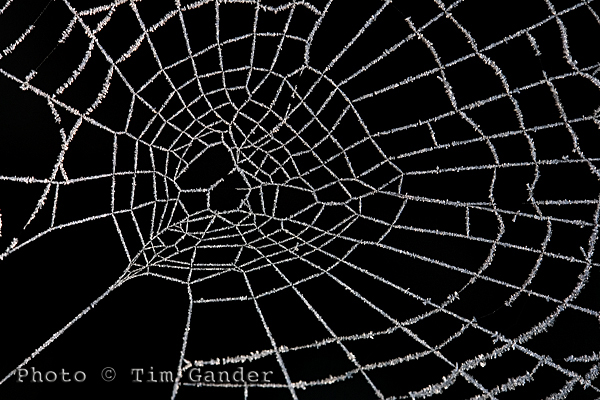
frozen frost on a cobweb spider web

Use Alt Text and caption fields to improve SEO of your site.

One thing you need to be wary of if you don’t want all your caption time to be wasted is when using automated saving software, such as the Save for Web option in Photoshop because this strips out the IPTC data.

The Save for Web function is a throwback to the days of dialup internet connection, when IPTC data was seen as bandwidth-hungry and unnecessary. This is no longer an issue with broadband, but web designers use it as a quick way to deal with images. Unfortunately it causes problems, not only with captions and keywords being stripped out, but also with copyright information being discarded too, which can lead to legal problems which I’ll deal with in my next article.

So get writing those captions, give Google, Bing and um… whoever what they want. If you don’t feed the spiders good stuff, they’ll come after you!

So until my mummy washes and irons my superhero outfit, it’s time to say, UP! UP! AND AWAY!

Captain Caption to the Rescue!

Is it a bird? Is it a plane? NO! It’s CAPTAIN CAPTION TO THE RESCUE!!!!! (hooray!)

One area of photography you don’t hear too much about is captions, and yet they are very important and pretty useful. So here’s Captain Caption (if only you could see my splendid cape and lycra stockings) to explain a bit more about them.

In the good old days, a caption was a little slip of paper stuck to the reverse of a photo. It would say the date the photo was taken, state the photographer’s (and/or agency) name and contact details, give the who, what, where, when and why of the content, and the copyright status of the image.

Of course it’s quite difficult to stick a piece of paper to the back of a digital photo. I tried once and it broke my laptop. So instead there is an embedded file (or table for the computer pedants) into which the photographer can and should write all this information. It’s called the IPTC , Metadata or File Info field of the photo and is accessible through Photoshop and other photo editing and viewing software, but not in standard image browsing software that comes with a PC, which is often why people don’t know about captions. For simplicity I’ll be talking about the IPTC table as used within the Photoshop File Info menu.

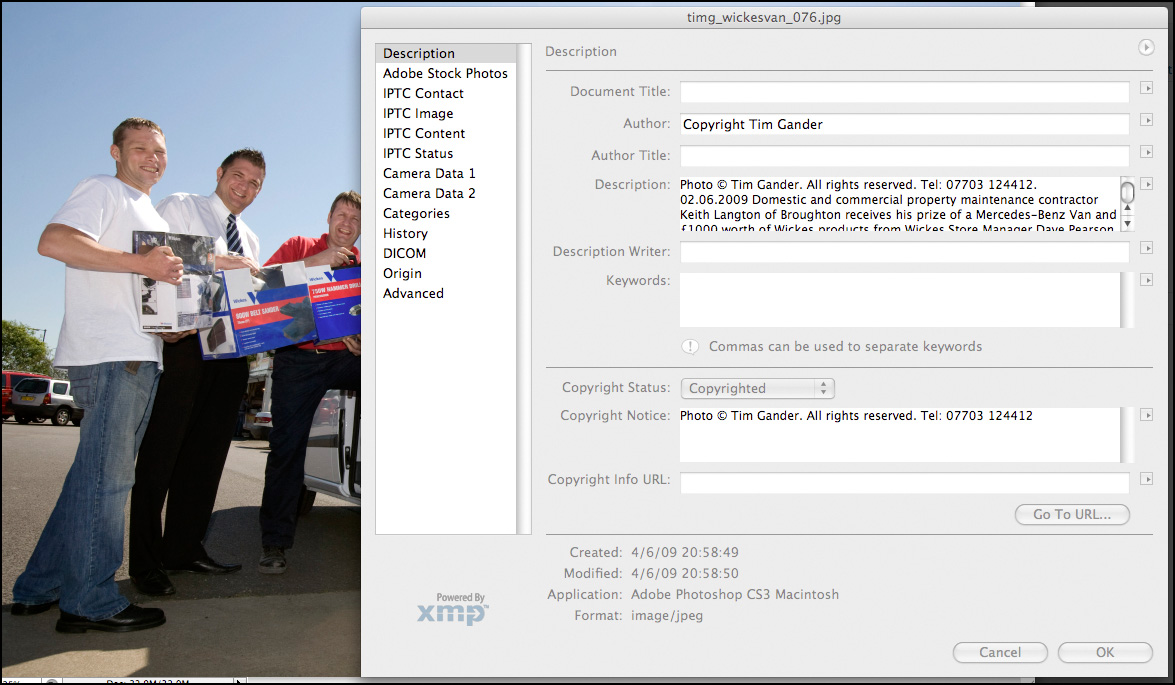
Within this table, there are various fields which can be filled in, the main one being Description. Here the photographer, or anyone with the right to add and alter the text, can enter a title, name of the author (photographer), description (the who, what, when, where and why), keywords and copyright notice.

IPTC file info field

This pane is accessed through Photoshop/File/File Info. Click to see more detail.

Taking press and PR as an example, it’s good professional practice to send properly captioned photos with press releases because it means that the photo can always be matched up with the right story. Remember, it’s not difficult for the photo and press release to become separated at the other end. You can also put other useful information in, such as how to contact the PR person handling the story if it’s a PR picture. It’s a good idea also stipulate in the caption that the photo is only to be used in conjunction with the original article, to prevent it being used as a stock image if the PR client is involved in an embarrassing future story.

There is another, even more up-to-date and compelling reason to have informative, descriptive captions on photos and a good reason to use the keywords cell of the File Info table, and that’s when it comes to using photos online. This being a blog of limited length I’m going to leave you on a cliffhanger, and you’ll have to tune in next week to hear how Captain Caption gets those dastardly Web Spiders to crawl to a different tune…

Free Resources!

As some of you may know, I have put together some free resources in a gallery on my web site.

Unfortunately, setting up the gallery on my website such that it doesn’t require a lot of complicated administration for those wishing to download the resources has proved impossible, so to make your lives easier, I’m moving the resources to here.

This page will change as I add more resources, so do please check back from time to time.

Tim Gander Fees Guide

Booklet of Ideas.

Booking Guidelines

T&Cs

Captions1

Captions2

Post Production

If you have any problems using this page, or would just like to get in touch, please contact me at tim@timgander.co.uk, or call me on 07703 124412.

Top 11 Tips for booking a photographer.

A couple of blogs ago I promised a quick guide to choosing a photographer for your project. Then I forgot and instead wrote something terribly witty about Leonardo da Vinci and infinite monkeys. I know it was witty because somebody said so. “That’s witty”, they said.

Getting back on track, here is the blog I originally promised. As a bonus I’m doing it in a top ten list sort of a form. As a double bonus, and in the style of Spinal Tap, my top ten list goes to number 11, so it’s one better than all the other top ten lists.

So here, in roughly the right order are your top 11 tips to finding, briefing and booking the right photographer for your project. This is only a rough guide of course, but it should help you with the basics.

1. You need to start by defining what the project is, and what style and quality you’re looking to achieve. From this you should be able to construct a rough brief, even if it needs adjusting later.

2. Start by looking for the photographers who can help you; specialists in the kind of photography you’re after. With each field of photography well catered for, there’s little point looking for a wedding photographer for a corporate shoot,  or an interiors photographer for press shots. It just happens I don’t shoot underwater pet weddings, so please don’t ask.

3. Talk to a few photographers and get an idea of the different rates and approaches they have.

4. It’s only fair to get firm quotes based on a clear brief, so whittle down your choice and start to talk about fees, either with a couple of photographers or with the one who shoots to the style and quality you need. I went into more detail about how rates work in the last-but-one blog. The photographer can often help develop the brief at this stage.

5. A brief consists of the date, time, location, what the pictures are to be of, how many pictures are required (approximately if necessary), your contact name, email and mobile number.

6. The brief also includes what the pictures are to be used for. This also helps define the likely fees, as well as informing the photographer on certain technical and artistic considerations.

7. You will need to know the photographer’s terms and conditions. These should be pretty standard, but check them all the same. Mine stipulate a bowl of M&M’s* on arrival.

8. Allow the photographer to liaise with your designer (if you’ve hired one). It can save a lot of time if the photographer knows how the images are to fit within the design.

9. Agree how the pictures are to be delivered, what file sizes are required (the photographer will advise you on this) and how soon after the shoot they are required.

10. Make sure you liaise on any special instructions that will help the photographer – props, access to the building, parking. It’s easy to forget that photographers need equipment, some of it heavy, so a nearby parking space makes us feel valued. We have such simple pleasures. Oh and don’t forget the M&M’s.

11. Finally, you should enjoy the day. It’s a break from the office routine, and I promise I’ll share the M&M’s. Mmm M&M’s…**

*Apostrophe police, please note the apostrophe in M&M’s is there because the manufacturer put it there, though it begs the question “M&M’s what?”

**I am not paid by Mars confectionary (manufacturer of M&M’s) to promote M&M’s, however if Mars would like to make a donation of M&M’s to me, they should contact me first for my address.

Article and photos © Tim Gander. All rights reserved 2009

“How much?!” A guide to photography rates.

Welcome to my blog-type thing, I’m glad you could make it.

Having convinced you in my previous blog of the terrors and pitfalls of using micro-payment stock photography for your corporate website and brochure (in short, every time you use istockphoto, a fairy dies), this time around I was going to lay out what level of investment is required to hire a real photographer to take genuine photos that will make your business stand out from the generic stock crowd.

Unfortunately it’s nigh on impossible to condense all possible fee structures into a single blog article, so I’ve come up with a much better answer.

Basically, what you need to pay for photography falls somewhere between you being embarrassed at expecting so much for so little money, and the photographer being embarrassed at charging so much for something they’re professional enough to make look easy.

There, I think that covers all the bases.

Well ok, there’s a bit more to it than that, so I will try to guide you and leave you better equipped to work out what your budget should be.

The first considerations are the quality, style, creativity and experience of the photographer you’re looking to hire. Also, what the photos are to be used for and for how long. These elements will almost certainly be the most influential in setting costs.

Many photographers will quote a time rate, but others like myself will work out a project rate based on the brief and what the pictures are to be used for. This tends to reflect the true value of the work produced, while also avoiding sneakybeaky add-on charges that can crop up when a project is priced on a menu basis.

One element which is often overlooked by clients is the post production time. Post production is what gets a digital camera file into shape ready for either electronic or print use. The file straight from the camera is no use for either, so the photographer has to spend time after the shoot preparing the files for publication, including adjusting colour, exposure, resolution and many other time-consuming and rather dull tasks.

As a guide, a day’s shoot can easily equate to a half day’s post production, though this also varies from project to project. Again, in my case I’ll generally include a certain amount of post production so there are no nasty surprises later.

Ok, so you really want some hard figures? Speaking for myself a project can be as little as £190 for a locally shot PR event with a limited shelf life. At the other end of the spectrum, I have charged £1,500 per picture for complicated national projects with multiple, ongoing uses, vast coverage and a lot of planning involved.

lloyds tsb cheque presentation to housing association © Tim Gander

Good PR shots get good publicity. © Tim Gander

In that first example, the client might be slightly abashed to know that I’ve brought 20 years’ experience, £20,000 worth of equipment and free exposure in local newspapers for less than it would cost to hire a plasterer for half a day. In the latter case, I felt suitably scared of screwing up the client’s expensive campaign that I made damn sure the results exceeded their wildest expectations.

When considering the budget, try to take into account the financial return you hope to get from the exercise. If you want a good return, you’ll need top-notch pictures. Rather than trying to find the lowest talent that will do the job for your budget, it might be better to spend extra so that your project punches above its weight. Better to spend a little more and find you’ve got pictures that really project your message than find you’ve spent too little and the project fails. Ha’peth of tar anyone?

For further guidance on typical prevailing fees, see:

“NUJ Freelance Fees Guide”

barbary lion

Barbary Lion © Tim Gander

Finally, if you like this lion photo I have a free A4 digital print I will send to the first UK-based reader of my blog to email me their name and address.

Until my next blog, when I’ll help you through the process of choosing a photographer, take care, and I wish you all the best with your business.

“Tim Gander is a press, PR and commercial photographer based in Somerset, who likes to talk about himself in the third person”

Article and photos © Tim Gander. All rights reserved 2009