The Great Green Debate

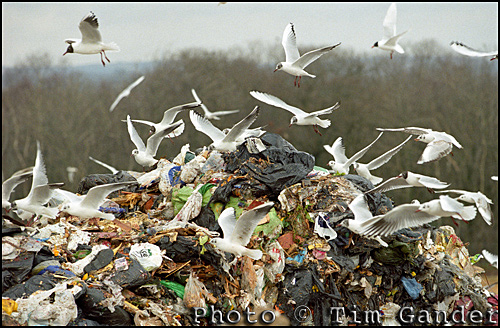
seagulls flocking on landfill tip site or trash and rubbish

Seagulls can't eat cameras. Their apertures are too small.

The response to my post “How Green is Your Photography?” was pretty interesting, and highlighted some useful resources for photographers wishing to take a less Magenta approach to their work (rubbish, nerdy in-joke. Sorry).

So what’s to do with this environment thing and photography? I suppose we could all just stop taking pictures and have our cameras turned into ploughshares. Small, rubbish ones, but once you melt a camera down, there aren’t many things it’s good for. When it comes to Samsung cameras, you don’t even have to melt them down to achieve “useless” status.

I started this subject because some time ago I’d been pondering the issue of the environment and how photographers might do their bit, bearing in mind that what we do isn’t exactly eco-friendly. Then I bumped into Chris at Park Lane Press Limited, which is based near me, and he showed me the waterless lithographic printing facility they have at their Corsham plant. I was impressed that the print quality, even on difficult, recycled paper stock was at least as good, and often better than I’d seen on the same papers using traditional printing methods.

This system is perfect for commercial clients wishing to use a more eco-friendly approach to brochure and annual report printing, but it also got me thinking about eco-friendly printing for photo prints. A chance comment from Rick Colson of EcoVisual Communications in Wayland, Massachusetts (who use post-industrial cotton waste papers) on one of my other articles got me thinking there must be eco-friendly photo printers in the UK too, though an internet search didn’t throw up any obvious candidates. So if you know of a truly eco-friendly photo printer in the UK, do let me know. Not just one with the word “eco” shoehorned into their mission statement.

Comments to my previous article suggested ways we can be more considerate in our use of energy, materials, photo and computer equipment. One respondent had seen an article in which a macro photographer glued ants to a twig to get a better closeup. Perhaps not the eco-crime of the century, but I’d hate to see this practice extended to lions, tigers and pandas. For a start, the amount of glue required to stick a polar bear to an ice floe would certainly be environmentally problematic.

I’ve made some simple conclusions, but feel free to add your comments. I’d like to update the article with useful links once I have a few more.

I’m ambivalent about transport. Use public transport where possible, but personally that isn’t often feasible, at least in the UK. Changing your car for something “greener” will cause more harm than good as most of the environmental impact of running a car is in its manufacture. Simply try driving more considerately. This will save fuel and wear and tear.

Rechargeable batteries are so much better than they used to be, so there’s no excuse for creating a mountain of spent alkalines any more. Try charging at night, perhaps using a timer socket so you’re not charging them all night. Power drawn at night uses electricity that would otherwise be dissipated  and wasted.

Eek out your kit. Don’t keep upgrading. Spend more on kit that lasts longer. I’m not a cheerleader for Apple, but my MacBook Pro is over two years old and going as well as the day I unpacked it. Most PC laptops are getting clapped out after 9 months (cue flame-grilled Timmy as the PC brigade rush to defend their honour).

Recycle and dispose of waste responsibly. Even electronics and dead batteries will be handled by your local amenity tip.

Link up with Green Photographers Network to learn more or share ideas.

And here’s one to really stir things up. I know stock images are here to stay, but I also believe that driving around, shooting thousands of photos nobody asked for and a tiny number of which will ever get published, isn’t a good way for photographers to protect the environment. Let’s not get into the issue of server space and energy required to host all those pictures of kittens and businessmen standing in fields.

Next time you need a photo of a polar bear on an ice floe, commission a local photographer to shoot it for you. Glue will be extra.

No polar bears were harmed as a result of writing this article, but the Pandaburger was yummy.

DIY or Die Trying

If you’ve read my previous two posts (using stock and using commissioned photography for your website) you’ll have a fair idea where I stand when it comes to shooting your own photos or getting a friend or relative to do it for you.

To sum up the main pitfalls, perhaps the biggest risk with getting a friend/relative/pet to take a few snaps for you as a favour is that having put them to the trouble, if the shots turn out so terrible they make you want to tear out your eyes, you’ll still feel beholden to use them – to promote your business. Oh dear.

The problem with taking them yourself is you might feel they’re excellent shots, but you’re too close to the action to be your best critic. You know what was involved in taking the pictures and what hard work it was, and you’ll be terribly proud of the results, but no one else will see that. They’ll just see the photos for what they are, however good or bad.

Having said all that, some business owners will always opt for DIY to save the expense of using a professional, so I’ll set out some basic pointers to help you make the best of your efforts.

  • Plan ahead:

Work out what pictures are required, maybe talk to your web designer if you have one, rather than taking thousands of random shots and hoping for the best. Which people, services and processes are key? Don’t forget though that a photo of your office building/machinery/entire staff contingency isn’t necessarily going to make more business for you. This isn’t about what pleases you about your business, it’s about what attracts clients and customers.

  • Choose locations with care:
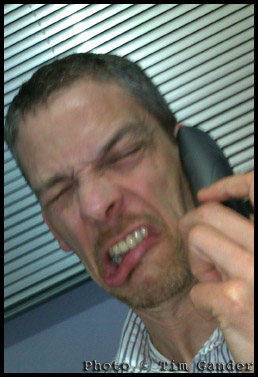
tim gander on telephone

The phone-cam look; not good.

So often you’ll see business portraits of people who have been lined up against a wall and shot Mafia-style. You can see the fear in their eyes! Or they’ve been surprised at their desk, mid-phone conversation, mouth gurning in an embarrassing contortion, or more likely miming a swear word. The flash has obliterated their features, and the red-eye is excruciating. Try taking them to a more relaxed location. Keep them distant from ugly or distracting backgrounds, use shaded daylight to avoid squinting and ugly shadows, and use the telephoto function to crop in close so their face fills the majority of the frame.

bath commercial photographer tim gander portrait.

Still not pretty, but a better photo.

  • Stay legal:

If you want to photograph people or locations not directly connected to your business, make sure you have either model releases or property releases where necessary.

  • Think quality:

As tempting as it might be to set your camera up so you can get 10,000 images on a single memory card, the quality will drop dramatically and this will show in the end result. You might also need the pictures for print publications too, and this will require even better quality than web use. Also, for the love of Sweet Jesus, don’t (DON’T!) take photos on your mobile phone with the hope of getting anything that resembles professional quality. It’s just not going to happen.

This short article can only cover the most basic of basics, but if you’re using non-professional photography in your business, perhaps another option would be to get a corporate photography trainer in (such as my good self) to at least train someone up to improve the results you’re getting. It could be a one-off session gets you on the right track, and at least when I leave the building, the skills stay with you. Drop me a line today to find out more.

No really, you’re beautiful…

Hooray! You’ve decided to blow the dust off your aged and failing website, spruce it up with a refresh or redesign, and you’re planning on getting some genuine, original photography shot just for your business. What should you look out for?

Perhaps the first and most obvious thing to think about is the style of photography and photographer you’re after. If you’re promoting your business, you’ll need a specialist commercial photographer. Look at the portfolios of different photographers, and think about whether any given photographer can deliver the quality and style you need. Don’t just pick at random or use the friend of a friend who happens to have a nice camera. Remember, this is your business you’re promoting. How you present it will influence what people think of it.

Budget sensibly. Again, this is your business you’re trying to promote. If your website is your shopfront, it needs to reflect the quality of your business. That needn’t cost a fortune, and making enquiries about likely costs is free.

In my last posting I dwelled on some of the pitfalls and legalities of using stock agency photos (often referred to as microstock because the payments are very small). It’s only right then that I highlight the same for commissioned photography.

  • Don’t assume you, your staff or your business aren’t photogenic enough:

A good photographer will do everything to ensure you and your staff look good, and probably better than you thought possible! Also remember, business isn’t a beauty pageant and people don’t see you the way you see yourself. The same goes for your premises and processes. There may be details and angles you’ve seen a million times and never had a second thought about, but a decent photographer will make them look interesting, and use them to help tell your story.

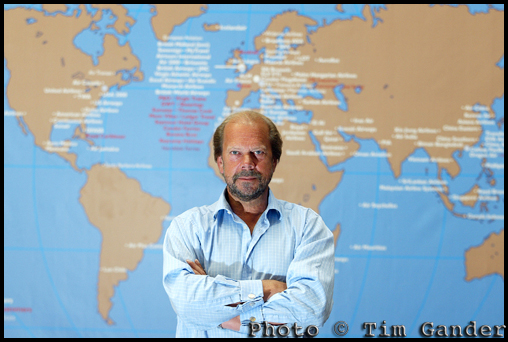
business man in front of world map

It's your business, show you're proud of it.

  • Watch the price:

As with stock imagery, you need to know what the cost will be. It’s tricky to estimate this without some idea of what will be involved in shooting pictures for you, but draw up a rough brief of what you’d like photographed, how many images you hope to achieve and what the pictures are to be used for (internal comms, external PR, corporate publications and web, advertising etc) so the photographer can give some idea of likely fees. Make sure the time required to shoot the images is sufficient, and make sure the photographer’s estimate includes permission to use the images. I work out my fees based on a combination of the likely time and resources needed for the shoot, the likely number of pictures required, plus the uses the client will require of the images. I combine these elements to give an over-all figure.

  • Check the T&Cs:

Again, as with stock, check the photographer’s T&Cs and that the agreed uses match your requirements. My T&Cs are based on standard UK ones, but the uses agreed vary according to the client’s requirements.

  • Get references:

Ask for references from other clients. I’m certainly happy to offer references if asked (and no, it isn’t my Mum that I’ll put you in touch with!)

  • If things go wrong:

The great thing about working with a specific photographer is that should anything go wrong, you have a human being you can take up the problem with, not a faceless agency. The advantage of a professional is that they will do their best to foresee likely problems and tackle them in advance, and will do their best to keep you happy if there are any issues after the shoot.

The next article in this series will look at the issues involved in taking your own business photos, or getting a friend or relative to do them for you. You can hazard a guess at what I’ll be saying about that…

A Fistful of Pixels.

You have a digital camera, you have a mobile phone, you know they have a few million pixels in them, but the latest models have more. Do you need them? Will your photos come out better if you have them?

YAWN! The camera manufacturers pixel race has been the most boring competition since the last World Paint Drying Championships held in 1957. Ever more astonishing numbers of pixels in their cameras, but does it make that much difference?

This is an idiot’s guide (that is to say a guide written by an idiot) to what a pixel is, and how many you need.

Since film has been outlawed by the Japanese, we’ve all moved to using electricity to capture images of everything from kittens to sunsets. In fact, the entire photographic gamut from K to S is now recorded using digital cameras.

A pixel is basically a tiny diode thing, which records light and converts it into a digital signal which the camera’s electronic brain can store for later viewing on porn sites the World over.

Each pixel has a microscopic lens in front which focuses the light onto it, and which stops light that hits one pixel influencing the neighbouring pixel and making your photos fuzzy(er).

Each pixel also has three teeny tiny amplifiers connected to it, which boost the electronic signal and record the light as being either red, green or blue.

So aren’t all pixels equal? Well no. You see when a manufacturer makes an imaging chip, they can decide what size the chip will be, and then how many pixels they’d like to pack onto that chip.

A mobile phone might have 3, 5 or 8 million pixels on a chip the size of a baby’s fingernail. A compact camera might have the same number of pixels on a chip twice that size, while a professional SLR might have 12 or 18 million pixels on a chip the same size as a “old skool” film negative (35mm).

How this works is by making the individual pixels smaller and bunched closer together for smaller chips, and larger and more spaced out on larger chips. And perhaps surprisingly, bigger pixels are generally better. Smaller pixels packed densely onto a small chip tend to suffer interference, which messes up the photo.

If you want to know what interference looks like, take a photo on your compact camera or mobile phone using its highest ISO setting (this is the chip sensitivity and equates to the old film speeds), or take a photo without flash in a darkish room.

When you look at the shadow areas of the photo, you’ll see digital grain, or noise, and lots of messy red dots which is where the pixels are starting to have a bit of a fight with each other. Those red dots are in fact, tiny pools of blood from the scuffle.

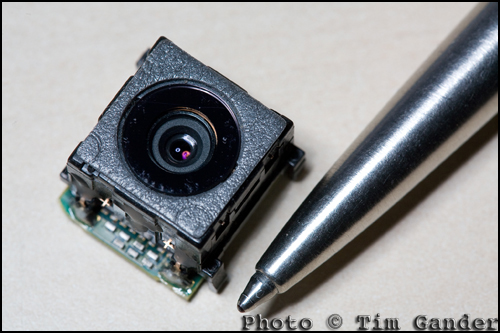
photo of the camera unit from a Sony Ericsson mobile phone.

This mobile phone camera unit houses lens, shutter, imaging chip and circuitry. No room for a large sensor.

So when you look at a mobile phone that claims to have 8 million pixels, remember those pixels are very, very small compared to the ones in an SLR. And small doesn’t mean more detail. In fact, if you have the choice between 5 million and 8 million on a mobile phone, you really won’t get any benefit from the higher pixel count. It’s just manufacturers want you to think you need the extra pixels so you can take better pictures and they’ll happily sell you the next model up.

Really all you need to know is that around 3-5 million pixels on a mobile, and maybe 8 on a compact camera, is ample for all those pictures of kittens, sunsets and drunken mates.

New technologies are coming through which will make these smaller chips work better, but then the same technologies will be introduced to larger-chipped cameras, and the quality will improve relative to that, so you’ll always be better off with a modest pixel count or a much larger chip.

So there you have it, the definitive, incontrovertible guide to pixels, which will remain current and authoritative until about next Wednesday, when no doubt a manufacturer will announce a 30 million pixel chip the size of a pin head which will capture fine detail in total darkness. The phone they put it in will still drop the signal every time you walk from your car to the front door…

Captain Caption’s Last Stand

Or, Captain Caption and the WORDS OF DOOOOOOM!

Okay, so we’ve already had two thrilling episodes of Captain Caption, and in this one we see our Lycra(TM) -wearing hero save the day yet again as we delve into the murky waters of the legalities of caption writing.

Actually, if you’re sensible, it’s not all that murky, but it’s wise to be aware of some basics.

I’ll deal with this in two sections, editorial and web. This applies to captions which appear under (or adjacent to) a photo, or the embedded caption in the IPTC table, which I covered previously.

If you’re sending out captions as part of a press release, either to print or web, you need to apply editorial standards. That is to say, the caption needs to be accurate and succinct. The first of those is vital. It is possible to libel someone by using a misleading or false caption on a photo. So stick to the facts of the story, and the realities of what is in the photo.

Be careful with your choice of words in captions. If a teetotaler is photographed holding a glass of water at a charity bash, don’t just caption that Mr X “enjoys a drink at the event” as the connotations could be misconstrued. There are too many examples to list, but common sense should guide you.

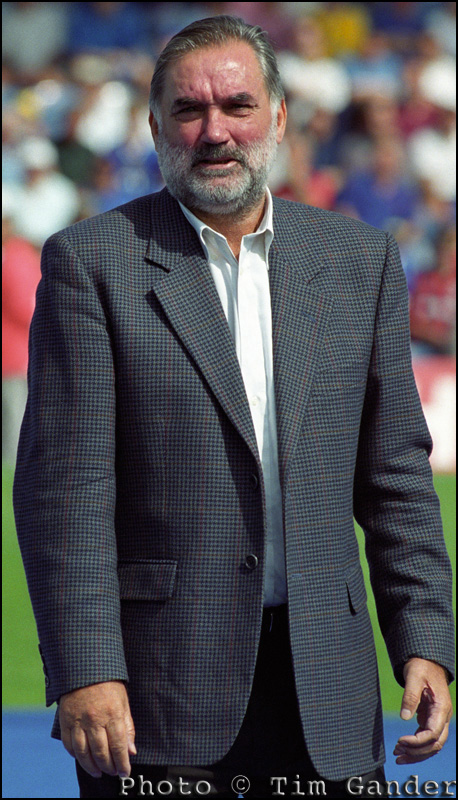
deceased footballer george best at portsmouth football ground

George Best - Safe to refer to his drinking because it's true. And in the UK, you can't libel the deceased.

The really simple answer is that if you’re going to send out a photo with a press release, get a press-trained photographer to shoot and caption the images. They’ll understand the style required, and the legalities of accurate captions.

Of course where images on the web are concerned, you still need to be careful to be accurate and avoid libel – perhaps more so because of the reach of the web, but the most commonly-committed sin on web images is to omit or strip out the electronic caption stored in the IPTC table.

You may not think this is much of an issue, and although it isn’t a criminal offence to omit the caption it can still lead to legal problems. Anyone who takes a photograph has the moral right under the Copyright, Designs and Patents Act (1988) to be identified as the author of their work. All professionals and image libraries will state this as a term of use of their images.

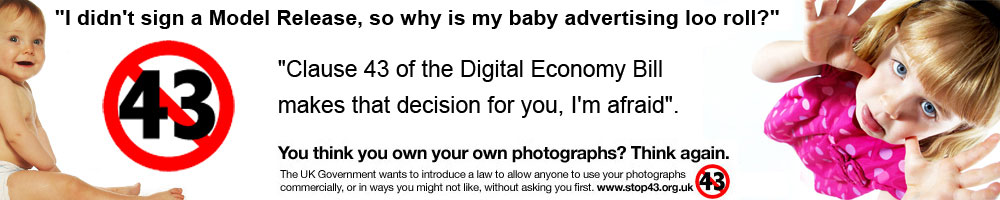
Unfortunately, it’s not too difficult to strip out the table and leave the photographer unidentified with their own work. This is an issue which all web designers will need to address increasingly as there are moves afoot to introduce an orphan works act in UK legislation. This would allow image users to find pictures on the net and use them without paying if they can’t track down the original author. It’s a bit more complicated than that, but it’s a huge threat to the viability of professional photography, and could also result in the pictures you took or bought for your business web site being lifted and used in ways you might not appreciate and without the IPTC caption identifying the author, it makes the images even harder to keep track of once they’re out there.

So remember, when composing captions; play safe, be accurate, keep it simple and make sure you keep it attached to the photo.

But now Captain Caption has flown his last mission. The skin-tight hero costume is wearing alarmingly thin at the crotch, and the cape keeps getting tangled in revolving doors, so I’m going to leave captions for a bit. Of course if this or the other articles have thrown up any questions for you, do comment them here and I’ll answer as best I can.

Captain Caption Flies Again!

Faster than a speeding bullet, and just as hot, he’s back with more information on how captions can help save the day, and as the marketing gurus like to say, “drive business to your website”. I make no such inflated claims, but getting traffic to your site may be a start on the road to “threading the needle of success.” I swear someone actually wrote that in a blog.

Following on from the previous article, where I explained that embedded captions in the photo’s IPTC file are an excellent idea if you want a news desk to be able to identify the subjects in your press release pictures, there is another very good reason to caption pictures fully and accurately.

You see when Google (other search engines are available – no, really they are) send their spiders to crawl your site, they can see the text and even understand it to some extent. But when they come across a jpeg image with no caption, Google just sees a blank space.

Think of it as describing the photo to a blind person. If you want Google to index your page and its contents, you need to tell it what’s in the photos.

Blank jpeg showing what google sees when there is no caption in IPTC fields.
Google sees a blank space when there is no caption.

Search engines love photos, because they love content-rich sites, and pictures help with that. Search engines also want to know that the content of a site is relevant to the site itself, so again you can use captions to reinforce the content of your site. Google will love your site that little bit more if the pictures of furniture on your furniture restoration web site are described accurately, because the pictures and the written content will match up.

In addition to the caption describing the picture contents, you can use the Alternate Text field you see when uploading an image to a blog to give the spiders something else to latch onto.

If someone googles “queen anne table restoration” they’ll get search results on pictures as well as main web sites. If your site has properly captioned images, this can help draw visitors to your site. It’s another way of making it easier for search engines to find relevant content, so why not make use of it? It doesn’t cost anything but time.

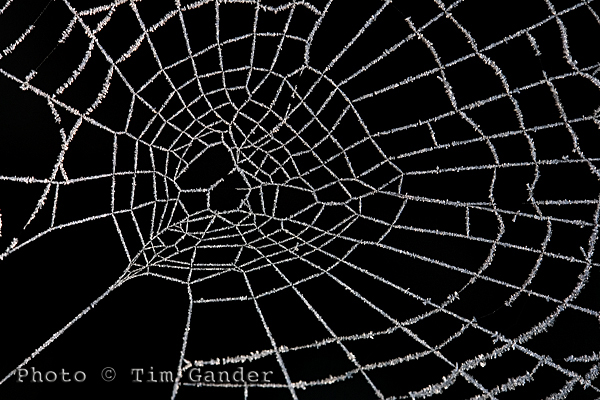
frozen frost on a cobweb spider web

Use Alt Text and caption fields to improve SEO of your site.

One thing you need to be wary of if you don’t want all your caption time to be wasted is when using automated saving software, such as the Save for Web option in Photoshop because this strips out the IPTC data.

The Save for Web function is a throwback to the days of dialup internet connection, when IPTC data was seen as bandwidth-hungry and unnecessary. This is no longer an issue with broadband, but web designers use it as a quick way to deal with images. Unfortunately it causes problems, not only with captions and keywords being stripped out, but also with copyright information being discarded too, which can lead to legal problems which I’ll deal with in my next article.

So get writing those captions, give Google, Bing and um… whoever what they want. If you don’t feed the spiders good stuff, they’ll come after you!

So until my mummy washes and irons my superhero outfit, it’s time to say, UP! UP! AND AWAY!

Captain Caption to the Rescue!

Is it a bird? Is it a plane? NO! It’s CAPTAIN CAPTION TO THE RESCUE!!!!! (hooray!)

One area of photography you don’t hear too much about is captions, and yet they are very important and pretty useful. So here’s Captain Caption (if only you could see my splendid cape and lycra stockings) to explain a bit more about them.

In the good old days, a caption was a little slip of paper stuck to the reverse of a photo. It would say the date the photo was taken, state the photographer’s (and/or agency) name and contact details, give the who, what, where, when and why of the content, and the copyright status of the image.

Of course it’s quite difficult to stick a piece of paper to the back of a digital photo. I tried once and it broke my laptop. So instead there is an embedded file (or table for the computer pedants) into which the photographer can and should write all this information. It’s called the IPTC , Metadata or File Info field of the photo and is accessible through Photoshop and other photo editing and viewing software, but not in standard image browsing software that comes with a PC, which is often why people don’t know about captions. For simplicity I’ll be talking about the IPTC table as used within the Photoshop File Info menu.

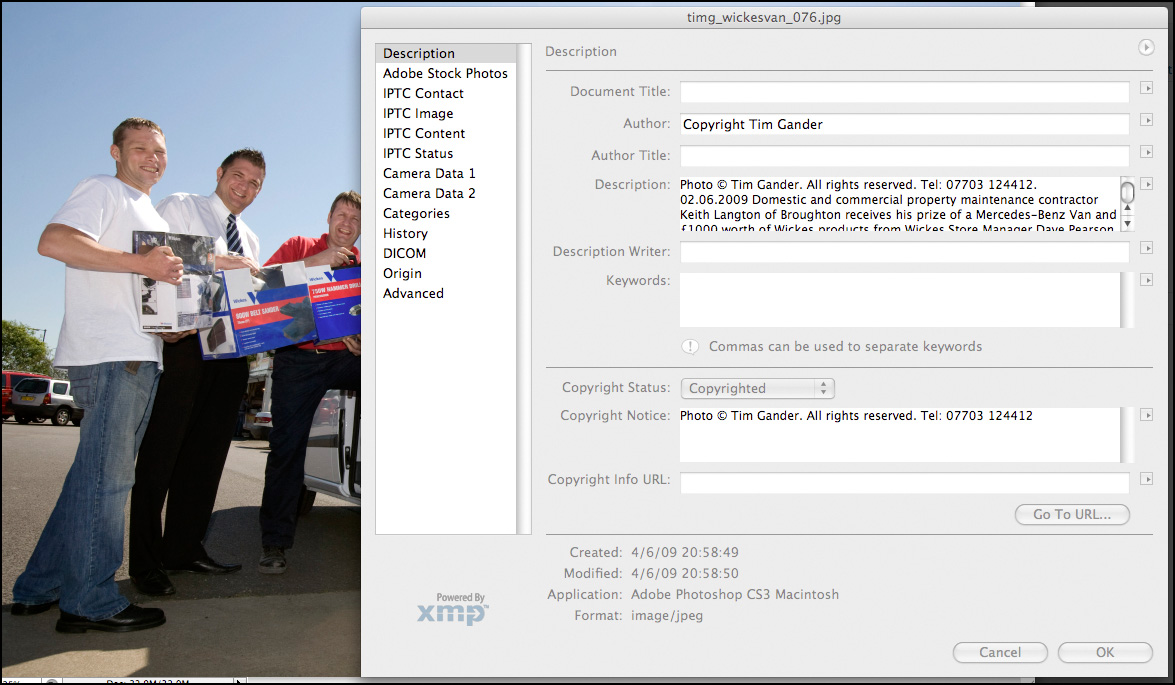
Within this table, there are various fields which can be filled in, the main one being Description. Here the photographer, or anyone with the right to add and alter the text, can enter a title, name of the author (photographer), description (the who, what, when, where and why), keywords and copyright notice.

IPTC file info field

This pane is accessed through Photoshop/File/File Info. Click to see more detail.

Taking press and PR as an example, it’s good professional practice to send properly captioned photos with press releases because it means that the photo can always be matched up with the right story. Remember, it’s not difficult for the photo and press release to become separated at the other end. You can also put other useful information in, such as how to contact the PR person handling the story if it’s a PR picture. It’s a good idea also stipulate in the caption that the photo is only to be used in conjunction with the original article, to prevent it being used as a stock image if the PR client is involved in an embarrassing future story.

There is another, even more up-to-date and compelling reason to have informative, descriptive captions on photos and a good reason to use the keywords cell of the File Info table, and that’s when it comes to using photos online. This being a blog of limited length I’m going to leave you on a cliffhanger, and you’ll have to tune in next week to hear how Captain Caption gets those dastardly Web Spiders to crawl to a different tune…

“How much?!” A guide to photography rates.

Welcome to my blog-type thing, I’m glad you could make it.

Having convinced you in my previous blog of the terrors and pitfalls of using micro-payment stock photography for your corporate website and brochure (in short, every time you use istockphoto, a fairy dies), this time around I was going to lay out what level of investment is required to hire a real photographer to take genuine photos that will make your business stand out from the generic stock crowd.

Unfortunately it’s nigh on impossible to condense all possible fee structures into a single blog article, so I’ve come up with a much better answer.

Basically, what you need to pay for photography falls somewhere between you being embarrassed at expecting so much for so little money, and the photographer being embarrassed at charging so much for something they’re professional enough to make look easy.

There, I think that covers all the bases.

Well ok, there’s a bit more to it than that, so I will try to guide you and leave you better equipped to work out what your budget should be.

The first considerations are the quality, style, creativity and experience of the photographer you’re looking to hire. Also, what the photos are to be used for and for how long. These elements will almost certainly be the most influential in setting costs.

Many photographers will quote a time rate, but others like myself will work out a project rate based on the brief and what the pictures are to be used for. This tends to reflect the true value of the work produced, while also avoiding sneakybeaky add-on charges that can crop up when a project is priced on a menu basis.

One element which is often overlooked by clients is the post production time. Post production is what gets a digital camera file into shape ready for either electronic or print use. The file straight from the camera is no use for either, so the photographer has to spend time after the shoot preparing the files for publication, including adjusting colour, exposure, resolution and many other time-consuming and rather dull tasks.

As a guide, a day’s shoot can easily equate to a half day’s post production, though this also varies from project to project. Again, in my case I’ll generally include a certain amount of post production so there are no nasty surprises later.

Ok, so you really want some hard figures? Speaking for myself a project can be as little as £190 for a locally shot PR event with a limited shelf life. At the other end of the spectrum, I have charged £1,500 per picture for complicated national projects with multiple, ongoing uses, vast coverage and a lot of planning involved.

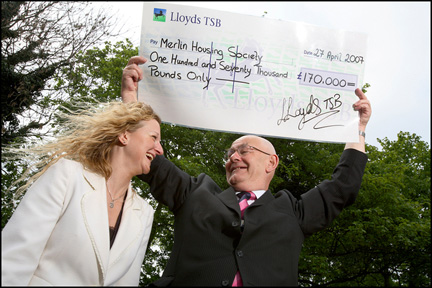
lloyds tsb cheque presentation to housing association © Tim Gander

Good PR shots get good publicity. © Tim Gander

In that first example, the client might be slightly abashed to know that I’ve brought 20 years’ experience, £20,000 worth of equipment and free exposure in local newspapers for less than it would cost to hire a plasterer for half a day. In the latter case, I felt suitably scared of screwing up the client’s expensive campaign that I made damn sure the results exceeded their wildest expectations.

When considering the budget, try to take into account the financial return you hope to get from the exercise. If you want a good return, you’ll need top-notch pictures. Rather than trying to find the lowest talent that will do the job for your budget, it might be better to spend extra so that your project punches above its weight. Better to spend a little more and find you’ve got pictures that really project your message than find you’ve spent too little and the project fails. Ha’peth of tar anyone?

For further guidance on typical prevailing fees, see:

“NUJ Freelance Fees Guide”

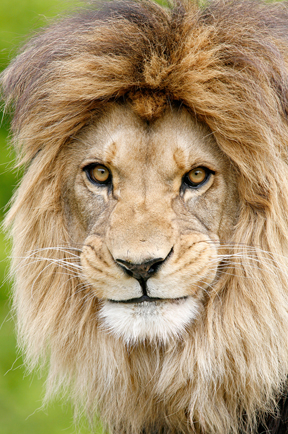
barbary lion

Barbary Lion © Tim Gander

Finally, if you like this lion photo I have a free A4 digital print I will send to the first UK-based reader of my blog to email me their name and address.

Until my next blog, when I’ll help you through the process of choosing a photographer, take care, and I wish you all the best with your business.

“Tim Gander is a press, PR and commercial photographer based in Somerset, who likes to talk about himself in the third person”

Article and photos © Tim Gander. All rights reserved 2009

Still images, still powerful.

Photography is everywhere, but nowhere is it more prolific than on the internet, where it is sprayed over web sites like candy from a smashed piñata, often with no thought to quality, relevance or placement. It’s just a way to break up text, and the general approach is that the cheaper this can be done, the better.

Of course the internet is a visual medium; nobody relishes reading acres of dense text, and the interspersion of text with pictures is more pleasing to the eye, but the over-use of low-cost stock imagery means that the images have become almost invisible, and their impact is lost.

Dark Light

Even a stock-style photo can be exclusive to one client.

The easy availability of this low-cost imagery on the web has caused another problem. Businesses, usually unknowingly, are using the same imagery as their competitors. This often happens because web designers will resort to using micro-stock sites such as istockphoto to source images, using the same search terms for similar clients. The result is a kind of Stepford Wives look to sites across the web and businesses look indistinguishable from their competitors.

If the imagery a business uses doesn’t set it apart from its competitors, what is the value of that imagery? What power will the images have to entice the prospective client to spend money with one business over another?

This ubiquity of imagery has diluted the power of photography on the web, but this isn’t photography’s fault, nor the fault of photographers. It’s just a stage internet design is going through. A bit like stages children go through on their way to becoming adults. Internet design is at the spotty teenager stage. It’s not pretty, not always useful around the house, and doesn’t know what it wants to be. However, this apparently ugly scenario can be made to work in favour of businesses who want to retake the initiative.

What businesses can do, and from my recent experiences are starting to do, is commission more bespoke photography and use less non-exclusive stock imagery. They’re presenting themselves as real businesses with real people, not the West Coast American-looking androids favoured by stock libraries for their blandness and interchangeability. Putting a genuine face to the public instead of hiding behind a sterilized façade means photography can be powerful again.

Designers I speak to are also starting to realise that their wonderful designs tend to lose impact once the generic stock images are plonked in, or they’re having to build the design message around whichever cheap pictures they have to hand. Designers are having to learn how to sell real photography to their clients again or face their designs simply costing their clients money, instead of bringing in sales.

So as the internet emerges from its teenage years, will business once again discover the power of genuine, bespoke photography? In the days of the printed brochure, you rarely had to suffer seeing photos taken by the boss’s nephew, and businesses paid good money to keep their identity unique from their competitors. As the internet goes from teenage to adulthood, so business web sites must mature into truly professional platforms for marketing, not just concentrating on site structure, graphics and text but the imagery too. Those that embrace exclusive imagery will find the extra investment creates a greater return.

It isn’t easy to shoehorn all these concepts into a blog, but if you would like to know more about how genuinely unique photography could help your business, drop me a line. Maybe I can help get your business through puberty relatively unscarred by acne.

Article and photos © Tim Gander. All rights reserved 2009